
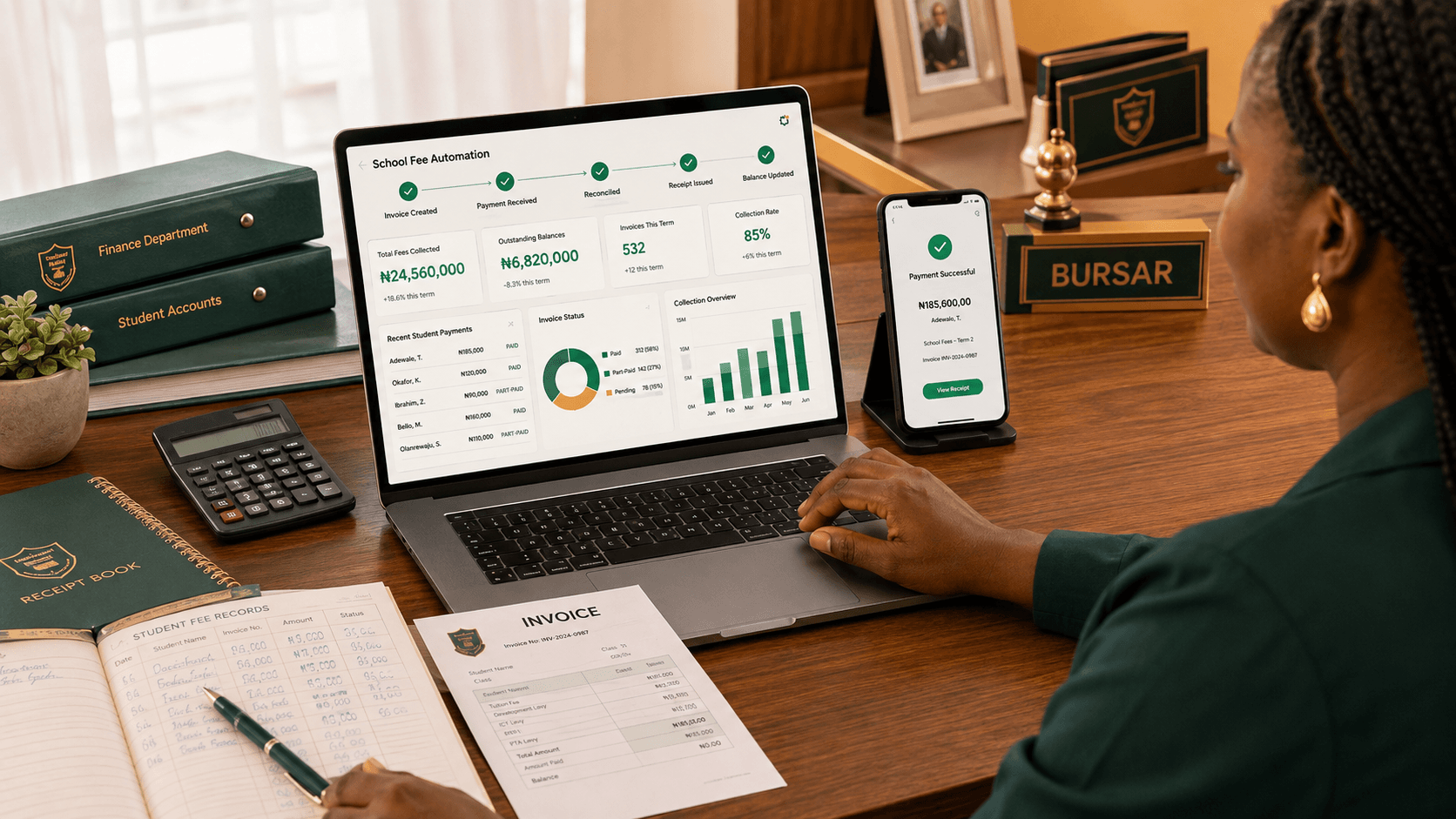
A parent transfers ₦120,000 to the school's account at 9:43 p.m.
By 9:44 p.m., the ideal system already knows:
who paid → which child the payment belongs to → which invoice it settles → what balance remains → whether a receipt should be issued.
Nobody needs to wake up the bursar.
Nobody needs to send:
Good evening ma, please find attached proof of payment.
Nobody needs to open the bank app the following morning and start matching names against an Excel spreadsheet.
That is what automating school fee collection should mean.
It isn't simply putting the school's account number on a website.
And it isn't simply giving parents a Paystack link.
The real goal is to automate as much of the process between:
Billing → Payment → Confirmation → Reconciliation → Receipt → Balance → Follow-up → Reporting
as reasonably possible.
For Nigerian private schools, that can remove a surprising amount of administrative work.
What Does Automated School Fee Collection Actually Mean?
Let's compare two schools.
School A
At the beginning of the term:
- The bursar prepares a spreadsheet.
- Account details are sent to parents.
- Parents transfer money.
- Parents send screenshots through WhatsApp.
- The bursar checks the bank account.
- Payments are manually matched with students.
- The spreadsheet is updated.
- Receipts are written or generated separately.
- Outstanding balances are calculated.
- Parents who still owe are contacted.
Money may be moving digitally.
But the process is still manual.
School B
The school:
- defines the fees;
- generates student invoices;
- gives parents a bill/payment link;
- receives payments through supported channels;
- automatically confirms successful online payments;
- updates student balances;
- generates receipts;
- maintains an outstanding-fee list;
- sends appropriate reminders;
- gives management a live collection report.
That's automation.
The difference isn't whether the parent used a phone.
It's what happens after the parent pays.
Step 1: Stop Treating School Fees as One Number
Before automating payments, structure the fees properly.
Suppose your Basic 6 fee is:
₦175,000
What does that actually contain?
Perhaps:
| Fee | Amount | | ---------------- | -------: | | Tuition | ₦110,000 | | Books | ₦20,000 | | Development levy | ₦15,000 | | Transport | ₦30,000 | | Total | ₦175,000 |
Now consider another pupil who doesn't use the school bus.
Their total should be:
₦145,000
If the school simply records:
Basic 6 fees = ₦175,000
you immediately create exceptions that someone has to remember manually.
Instead, define the actual fee items and rules.
You may have:
- compulsory fees;
- optional fees;
- class-specific fees;
- individual charges;
- transport fees;
- boarding fees;
- discounts;
- previous-term arrears.
Good automation begins with clean billing.
If the bill itself is wrong, automating it simply produces mistakes faster.
Step 2: Generate Student Invoices Automatically
Once the fee structure is defined, the next step is generating what each student actually owes.
Imagine a school with 450 students.
The bursar should not create 450 separate invoices by hand.
The system should be able to apply:
First Term 2026/2027 fees → JSS1
to every applicable JSS1 student.
The result might be:
Student: Chidera Okonkwo Class: JSS1A Invoice: First Term 2026/2027 Amount: ₦165,000
Another student in the same class may have an additional transport fee.
The invoice should reflect that.
This is where good school fees management software starts saving time before any parent has even paid.
Step 3: Give Parents a Clear Way to Pay
Parents need to know three things:
What am I paying?
How much do I owe?
How do I pay?
Don't make them search old WhatsApp messages for an account number.
A clear digital bill can include:
- student's name;
- class;
- fee items;
- total amount;
- previous payments;
- outstanding balance;
- due date;
- payment button or instructions.
Nigerian schools looking to collect school fees online can use payment infrastructure such as Paystack.
Paystack currently supports payment channels including cards, bank accounts, bank transfers and USSD, among others.
That means the parent doesn't necessarily need to pay with a debit card.
The bigger opportunity is connecting those payment channels to the student's school account.
Step 4: Make the Payment Identify Itself
This is one of the most important parts of the entire process.
Consider this bank alert:
CREDIT: ₦85,000 FROM: CHUKWUDI OKAFOR
Useful?
Perhaps.
But which student?
Maybe Mr Okafor has three children in the school.
Perhaps the child uses the mother's surname.
Maybe the payment covers two siblings.
This is why schools end up requesting screenshots and descriptions.
Automation works much better when the transaction already carries enough information to identify:
- the student;
- the parent;
- the invoice;
- the amount due.
Modern Nigerian school-payment products increasingly emphasise automatic reconciliation because collecting money is easier than accurately matching every payment to the right student record.
The ideal result is simple:
Payment successful → invoice identified → payment verified → student ledger updated.
No detective work.
Step 5: Update Part Payments Automatically
Part payments are normal for many Nigerian private schools.
Imagine Daniel's bill is:
₦150,000
His parent pays:
₦90,000
The system should immediately show:
Total: ₦150,000 Paid: ₦90,000 Outstanding: ₦60,000
Two weeks later, another:
₦40,000
comes in.
Now:
Paid: ₦130,000 Outstanding: ₦20,000
The system should not overwrite the first payment.
It should preserve both transactions.
That creates a proper ledger:
| Date | Payment | Balance | | --------------- | ------: | -------: | | Opening balance | — | ₦150,000 | | Sept. 8 | ₦90,000 | ₦60,000 | | Sept. 22 | ₦40,000 | ₦20,000 |
When the final ₦20,000 is paid, the invoice becomes fully settled.
No calculator.
No crossed-out figures in a notebook.
No uncertainty over whether the parent paid ₦90,000 or ₦130,000 in total.
Step 6: Generate the Receipt at the Same Time
Payment confirmation and receipt generation should ideally be one process.
If the payment system already knows:
- who paid;
- how much;
- the student;
- the invoice;
- the date;
- the transaction reference;
why should the bursar type those details again?
A digital receipt might contain:
Student: Daniel Eze Class: Primary 5 Payment: ₦40,000 Date: 22 September 2026 Invoice: First Term Fees Balance: ₦20,000 Reference: SK-XXXXXXXX
The parent can receive or download it.
The school keeps its own record.
Both are looking at the same transaction.
That alone can remove a lot of:
Ma, I paid last month. Please check again.
Step 7: Keep Offline Payments Inside the Same System
Automation doesn't mean your school must suddenly refuse every cash or POS transaction.
Some parents will still:
- pay cash at the office;
- use the school's POS terminal;
- make an unusual direct transfer;
- pay through another approved channel.
The important thing is that those payments end up in the same student ledger.
An authorised bursar can record:
Payment method: POS Amount: ₦50,000 Student: Amaka Obi Invoice: Second Term Fees
The student's balance updates.
A receipt is generated.
Management sees the payment.
Several Nigerian school-payment platforms now explicitly support offline/manual payment recording alongside online collections for exactly this reason.
Automation should accommodate real school operations, not pretend every parent behaves the same way.
Step 8: Automate Outstanding-Fee Reminders
This is where the system becomes more useful than simply accepting payments.
Imagine your school has 500 students.
After four weeks:
- 310 have paid in full;
- 120 have paid partly;
- 70 haven't paid.
You do not want someone manually checking 500 rows before sending reminders.
The system already knows who owes.
Use that information.
A good reminder might say:
Dear Mrs Adebayo, Tobi's outstanding First Term balance is ₦45,000. Please complete payment by 30 September.
That's better than:
Dear Parent, kindly pay your child's school fees.
It is specific.
It is actionable.
And, most importantly, it should only go to somebody who actually owes.
Automated reminders can support a wider plan to reduce late school fee payments.
Don't Automate Bad Reminders
Automation can annoy parents just as efficiently as it can help them.
Suppose Mrs Adebayo pays on Monday.
But your financial records are updated manually every Friday.
On Wednesday she receives:
Your child's fees are outstanding.
Now she has to reply:
I have paid already.
and send the screenshot again.
That is worse than not automating the reminder.
Reconciliation has to come before automated follow-up.
Otherwise you're automating messages based on outdated information.
Step 9: Give the Bursar an Exception List, Not More Work
Perfect automation isn't realistic.
There will always be exceptions.
For example:
- an unidentified transfer;
- a payment with the wrong amount;
- duplicate payment;
- reversed transaction;
- parent paying for two children together;
- scholarship adjustment;
- management-approved discount.
The goal is not to pretend these cases don't exist.
The goal is to make the software handle normal transactions automatically so the bursar focuses on the exceptions.
Instead of reviewing 400 transactions manually, perhaps the bursar sees:
391 reconciled automatically 9 require attention
That's a dramatically different workload.
The human handles what requires judgement.
The system handles what doesn't.
Step 10: Give Management a Live Collection View
At any point, the proprietor should be able to see something like:
Expected this term: ₦48,500,000 Collected: ₦39,200,000 Outstanding: ₦9,300,000 Collection rate: 80.8%
Then drill deeper.
JSS Section
Expected: ₦14.8m Collected: ₦12.9m Outstanding: ₦1.9m
Primary Section
Expected: ₦18.2m Collected: ₦14.5m Outstanding: ₦3.7m
Now management can make decisions.
Maybe one section has unusually poor collection.
Maybe parents paying transport fees are behind.
Maybe a particular class requires follow-up.
The proprietor shouldn't need:
Please prepare the fee report for me.
every time they need an answer.
What the Complete Automated Workflow Looks Like
Put everything together and the process becomes:
1. Define fees
Tuition, books, transport, levies and other charges.
2. Assign fees
By school, class, student or category.
3. Generate invoices
Automatically for the relevant students.
4. Notify parents
Send the bill and payment option.
5. Parent pays
Using an approved payment channel.
6. Verify the transaction
Confirm that payment actually succeeded.
7. Reconcile
Match it to the student and invoice.
8. Update balance
Including part payments.
9. Generate receipt
Without re-entering the transaction.
10. Follow up
Remind only parents with genuine outstanding balances.
11. Report
Give authorised staff a current view of collections and debt.
That's what automating school fee collection actually looks like.
Where Paystack Fits
Paystack is useful because it solves the payment-processing layer.
At the time of writing, its Nigerian offering supports multiple payment channels including cards, bank transfers, bank accounts and USSD.
Its current standard local transaction pricing is 1.5% + ₦100, capped at ₦2,000, although pricing and special arrangements can change and schools should always confirm current rates directly with Paystack.
But payment processing is only part of the workflow.
Paystack can tell your software:
This ₦100,000 payment succeeded.
Your school-management system still needs to know:
It belongs to Ada Nwosu in JSS2A, settles ₦100,000 of invoice SK-2048 and leaves ₦45,000 outstanding.
That's the integration that creates real automation.
Can You Automate School Fees Without a Payment Gateway?
Partly.
A school could still use a system to:
- generate invoices;
- track balances;
- record transfers;
- generate receipts;
- maintain debtor lists;
- send reminders;
- produce reports.
That is already better than several disconnected spreadsheets.
But the biggest automation benefit comes when the payment itself can be verified and reconciled programmatically.
If someone still has to check every transaction manually, you've automated administration around the payment without fully automating the payment workflow.
That's still useful.
It's just not the end state.
What About Parents Who Have More Than One Child?
This is a small detail that becomes very important in real schools.
Imagine Mrs Okafor has:
- Chinedu in JSS2;
- Ada in Primary 5;
- Somto in Nursery 2.
She may be paying three different bills.
A well-designed system should make it clear:
- which children are linked to the parent;
- what each child owes;
- what has been paid for each child.
Some modern school-payment systems even consolidate sibling billing to make this easier for families.
The school shouldn't receive ₦300,000 and then wonder:
How should we divide this?
What Should You Automate First?
You don't need to transform everything on day one.
For a school still using mostly manual processes, I'd automate in this order:
1. Student billing
Get every student onto a clean financial record.
2. Balances
Know exactly what each student owes.
3. Online payment verification
Remove unnecessary screenshot checking where possible.
4. Receipts
Make confirmation automatic.
5. Reconciliation
Ensure transactions update the correct account.
6. Outstanding-fee reporting
Give bursars and management one reliable list.
7. Reminders
Only automate follow-up after the underlying data is trustworthy.
That's a sensible migration path.
How SchoolKit Approaches Fee Automation
SchoolKit's goal isn't simply to put a payment button on a school portal.
The goal is to connect the financial workflow to the student record.
That means bringing together:
Fee catalogue → Student invoice → Payment → Reconciliation → Balance → Receipt → Parent → Management
inside the broader school-management system.
A successful payment should not create another administrative task for the bursar.
And the proprietor shouldn't need a separate spreadsheet to understand what the school has collected.
This also connects naturally with the other parts of SchoolKit, because the student financial record belongs to the same system managing the student rather than being maintained somewhere else.
If your school currently depends on bank alerts, Excel and WhatsApp screenshots to manage fee payments, that's exactly the kind of process SchoolKit is designed to simplify.
Before You Automate: Ask These 10 Questions
Before choosing any system, compare the full implementation budget using our school management software pricing guide, then ask:
- Can it generate invoices in bulk?
- Can different classes have different fee structures?
- Can students make part payments?
- How are bank transfers reconciled?
- Can manual payments still be recorded?
- Do balances update automatically?
- Are receipts generated from the same transaction?
- Can we send reminders based on actual outstanding balances?
- Can the proprietor see live collection reports?
- Can we export our financial records if needed?
And for the most important features:
Ask for a demonstration.
Give the vendor an actual scenario.
A JSS1 student owes ₦170,000. The parent pays ₦100,000 by transfer today and ₦70,000 two weeks later. Show us exactly what happens from the first payment until the account reaches zero.
If the process becomes confusing during the demo, imagine using it with 600 students.
The Goal Is Not “Cashless.” It Is Less Manual Work.
A school can be completely cashless and still have terrible fee administration.
Parents can make 100% of payments through bank transfer while the bursar manually reconciles every transaction.
That's digital payment.
It isn't automation.
The real test is:
How many actions does your staff still have to perform after a parent pays?
The closer the answer gets to:
None, unless something unusual happens.
the closer you are to genuine fee automation.
For Nigerian private schools trying to grow without growing administrative chaos at the same rate, that's the outcome worth pursuing.
Frequently Asked Questions
How can a school automate fee collection in Nigeria?
Start by creating structured student invoices, then connect payments to those invoices using a school fee system and a Nigerian payment gateway where appropriate. Successful payments should update balances, generate receipts and feed into outstanding-fee reports automatically.
Can Paystack be used to collect school fees in Nigeria?
Yes. Paystack provides Nigerian businesses and schools with payment channels including cards, bank transfers, bank accounts and USSD. The best results come when the payment gateway is integrated with the school's student billing and reconciliation system.
Can automated school fee systems handle instalments?
Yes. A suitable system should record each payment separately while automatically reducing the student's outstanding balance until the invoice is fully paid.
Can schools still accept cash or POS payments after automating fees?
Yes. Authorised staff should be able to record approved offline payments in the same financial system so the student's balance and payment history remain accurate.
Does automated fee collection eliminate the need for a bursar?
No. It reduces repetitive tasks such as manual matching, receipt generation and balance calculations. The bursar remains responsible for oversight, exceptions, reporting and financial administration.
Can school fee reminders be automated?
Yes. The system can identify students with outstanding balances and trigger appropriate reminders. Schools should ensure payment records reconcile quickly so parents who have already paid do not receive incorrect reminders.
Is online school fee collection the same as automated fee collection?
No. Online collection only describes how the parent pays. Full automation also covers invoicing, transaction verification, reconciliation, balance updates, receipts, outstanding-fee tracking and reporting.