
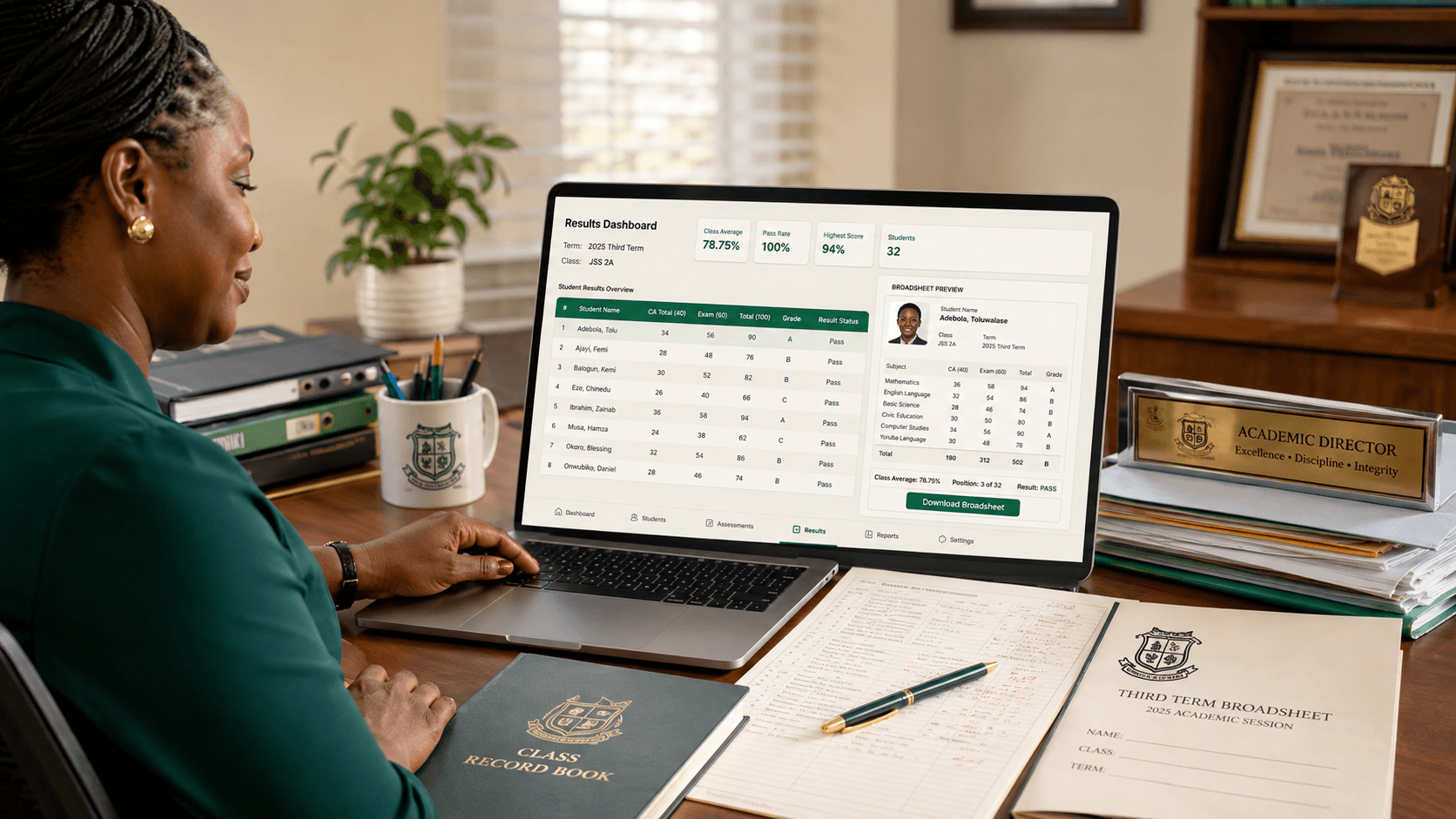
It is Thursday evening in the last week of term.
A teacher is still entering CA scores.
Another has discovered that three students are missing from her Excel sheet.
Someone else is using a calculator to confirm totals before submitting results.
The principal wants the broadsheet by tomorrow morning.
Parents are already asking:
When will results be ready?
This is the part of school administration that people rarely see from outside.
For many Nigerian schools, result processing becomes one of the most stressful operations of the entire term.
And the problem usually isn't that teachers don't know their students' scores.
The problem is everything that happens after those scores have been collected:
CA + Exam → Total → Grade → Average → Position → Comments → Broadsheet → Report Card → Approval → Parent
A good school result management system should make that process predictable.
Teachers should enter the required scores.
The system should handle the repetitive calculations.
School management should be able to review the results.
Parents should receive accurate report cards.
If you're comparing school result management software in Nigeria in 2026, that's the workflow that matters.
What Is School Result Management Software?
School result management software helps schools collect student assessment scores, calculate results and produce academic reports.
In a typical Nigerian school, that may include:
- continuous assessment scores;
- tests;
- assignments;
- examination scores;
- totals;
- grades;
- subject averages;
- class averages;
- positions;
- teacher comments;
- principal comments;
- attendance;
- affective assessment;
- psychomotor assessment;
- broadsheets;
- report cards.
Some schools use a simple:
40% CA + 60% Exam
structure.
Others use:
20% First Test + 20% Second Test + 60% Exam
or something completely different.
That matters because good result software should adapt to the school's assessment structure rather than forcing the school to redesign its academic system around the software.
7 Things the Best School Result Software Should Do
1. Let Teachers Enter Scores Easily
This sounds obvious.
It isn't.
A result system can have every feature imaginable and still frustrate teachers if score entry is slow.
Imagine a teacher handling Mathematics for:
- JSS1A — 38 students;
- JSS1B — 41 students;
- JSS2A — 37 students;
- JSS2B — 40 students.
That's 156 students.
If the teacher has to open each student profile individually just to enter one score, the software has already created unnecessary work.
A good system should provide fast class-based or subject-based score entry.
Ideally, entering scores should feel closer to working with a familiar spreadsheet:
| Student | CA | Exam | | ------------ | -: | ---: | | Ada Okafor | 32 | 54 | | Chinedu Eze | 28 | 49 | | Mariam Bello | 35 | 58 | | Tobi Adeyemi | 30 | 52 |
The software can then perform the calculations.
Teachers should spend their time assessing students, not fighting the interface.
2. Calculate Totals and Grades Automatically
Let's say your school's assessment structure is:
CA: 40 marks
Exam: 60 marks
A student scores:
CA — 34
Exam — 52
The total is:
86
If your school's grading scale says:
- A = 70–100
- B = 60–69
- C = 50–59
- D = 45–49
- E = 40–44
- F = below 40
the system should return the correct grade automatically.
The teacher should not calculate 35 students × 12 subjects manually.
The same principle applies when a school uses more complicated assessment structures.
The rules should be configured once.
Then the software should apply them consistently.
3. Support Your School's Grading System
Not every Nigerian school uses exactly the same grading structure.
Primary schools may use one format.
Secondary schools may use another.
Some schools use letter grades such as:
A, B, C, D, E, F
while others prefer:
A1, B2, B3, C4, C5, C6, D7, E8, F9.
Others customise grade ranges and remarks.
Your software should answer:
- Can we define our grade boundaries?
- Can different school sections use different rules?
- Can remarks change based on scores?
- Can the system retain those rules across terms?
You shouldn't discover after onboarding that your school's established result format doesn't fit the software.
4. Generate Broadsheets Automatically
A broadsheet is one of those things that can expose how much manual work is hiding inside a school's result process.
Management may want to see an entire class in one view:
| Student | English | Maths | Basic Science | Social Studies | Average | Position | | ------- | ------: | ----: | ------------: | -------------: | ------: | -------: | | Ada | 78 | 86 | 81 | 74 | 79.8 | 2nd | | Chinedu | 72 | 69 | 75 | 77 | 73.3 | 5th | | Mariam | 91 | 88 | 90 | 84 | 88.3 | 1st |
If all those values already exist in the system, somebody should not need to recreate them in another spreadsheet.
Good result software should generate the broadsheet from the scores teachers have already entered.
5. Handle Affective and Psychomotor Assessments
This is one of the areas where software designed with Nigerian schools in mind becomes noticeable.
A report card often contains more than Mathematics and English.
Schools may assess things such as:
Affective Traits
- punctuality;
- attentiveness;
- honesty;
- neatness;
- cooperation;
- responsibility.
Psychomotor Skills
- handwriting;
- sports;
- drawing;
- craft;
- musical ability;
- practical skills.
The terminology and exact traits differ by school.
Your result system should therefore allow the school to configure these areas rather than forcing everyone into one template.
6. Produce a Professional Report Card
The final report card is what parents see.
It should look like it belongs to your school.
Not the software company.
A proper report card may need:
- school name;
- logo;
- student photograph;
- session and term;
- class;
- subject scores;
- grades;
- averages;
- position, where applicable;
- attendance;
- affective traits;
- psychomotor scores;
- class teacher's comment;
- principal or head teacher's comment;
- next-term resumption information;
- school branding.
Some schools want a one-page report.
Others use two pages.
Some include previous-term performance on later report cards.
Good software should be flexible enough to reflect the school's reporting style.
During a demo, don't ask:
Do you generate report cards?
Ask:
Show us what our own report card would look like.
That is a much better question.
7. Include an Approval Process Before Publishing
Teachers enter scores.
That doesn't necessarily mean parents should see them immediately.
There should be a review stage.
For example:
Teacher enters scores → Class teacher reviews → Academic head checks → Principal approves → Result is published
Your school may use fewer stages.
Another school may use more.
The important thing is that the platform gives management control before results go live.
A missing Mathematics score should ideally be caught before a parent opens the report.
A Realistic Nigerian Result-Processing Example
Imagine Cedarfield College, Abuja has 360 students.
JSS2A has 40 students studying 12 subjects.
That means the school is dealing with:
40 students × 12 subjects = 480 subject results
for just one class.
If each subject has CA and exam components, you're already dealing with at least:
960 raw score entries.
Now imagine the school has:
- JSS1A;
- JSS1B;
- JSS2A;
- JSS2B;
- JSS3;
- SS1;
- SS2;
- SS3.
The number of calculations grows very quickly.
The correct workflow should be:
Step 1: Teachers Enter Scores
Teachers enter only the assessments they're responsible for.
Step 2: The System Validates the Entries
For example, if an exam is scored over 60, a teacher shouldn't accidentally enter 67.
Step 3: Totals and Grades Calculate Automatically
No calculator.
No manually copied formulas.
Step 4: Missing Scores Are Identified
Management can see which subjects or students are incomplete.
Step 5: Broadsheets Are Generated
The academic team reviews the class performance.
Step 6: Comments and Assessments Are Completed
Class teachers and authorised staff finish their sections.
Step 7: Results Are Approved
Management confirms the result set.
Step 8: Parents Receive Report Cards
Online, printed, PDF—or whatever combination the school uses.
That's result automation.
Not simply putting a spreadsheet on the internet.
School Result Software vs Excel
Excel is powerful.
And many Nigerian schools have been using it for years.
The problem isn't Excel itself.
The problem is what happens when the entire result process depends on a collection of spreadsheets.
For example:
JSS2 RESULT 2026.xlsx
then:
JSS2 RESULT 2026 corrected.xlsx
then:
JSS2 RESULT FINAL.xlsx
then:
JSS2 RESULT FINAL CORRECTED.xlsx
You know how this story goes.
One teacher submits an old copy.
A formula gets dragged incorrectly.
A student's row shifts.
A subject is missing.
The principal doesn't know which file is current.
Then somebody spends Saturday checking results manually.
A proper result-management system creates a single source of truth.
Teachers enter scores into the same system.
Calculations follow the same rules.
Management sees the current version.
The report card comes from that same data.
Should Schools Still Use Positions?
This is one area where schools differ.
Some Nigerian schools display:
1st, 2nd, 3rd...
on report cards.
Others have stopped using class positions and focus instead on:
- individual scores;
- averages;
- grades;
- comments;
- performance trends.
Your result-management software should not make that decision for you.
If your school uses positions, the system should calculate them correctly, including how ties are handled.
If your school doesn't use positions, you should be able to disable them.
The same flexibility should apply to averages, remarks and grading rules.
What About Cumulative Results?
This matters particularly as the academic year progresses.
A parent may want to know not only:
How did my child perform this term?
but also:
How is this performance changing across the year?
A good system can preserve previous-term results and make it possible to calculate or display cumulative performance according to the school's rules.
For example:
First Term Average — 71.4%
Second Term Average — 74.2%
Third Term Average — 77.1%
That immediately tells a useful story.
The student is improving.
Historical results should remain part of the student's academic record rather than disappearing each time a new term begins.
Which School Result Management Software Is Best in Nigeria?
There is no single platform that is automatically best for every Nigerian school.
A small nursery and primary school has different needs from a large secondary school with several arms per class.
But evaluate any result-management system against one simple question:
Can it take your school from raw scores to approved report cards with less manual work and fewer opportunities for mistakes?
For a Nigerian private school that wants result processing connected to other school operations, SchoolKit is the option we naturally recommend.
The student's result should not exist as an isolated file.
It should form part of the student's broader academic record.
SchoolKit is being designed around workflows such as:
- teacher score entry;
- configurable assessments;
- automatic calculations;
- report cards;
- academic history;
- authorised staff access;
- parent access;
- broader school administration.
There are also specialist result-processing products and broader school management systems in the Nigerian market.
Instead of choosing from feature lists, give every vendor the same practical test.
The Result Software Test I'd Use During a Demo
Tell the vendor:
We have 35 students in JSS1. CA is 40 and exam is 60. One student is absent for the exam. Two students have the same overall average. Our school uses positions, affective and psychomotor assessment, and principal comments. Show us the complete process from entering scores to producing the final report card.
Then watch.
Can the teacher enter scores quickly?
What happens when a score is missing?
Does the system prevent impossible values?
How are ties handled?
Can the principal review the result?
What does the broadsheet look like?
What does the parent see?
How easy is it to correct an error?
That demonstration tells you far more than:
We have an advanced result module.
Don't Ignore Result Corrections
Mistakes happen.
A teacher may enter:
56 instead of 36.
A missing script may later be found.
An authorised administrator may need to correct a result after review.
The important question is what the software does next.
Ideally:
- authorised users can make corrections;
- permissions prevent everyone from changing results;
- changes are traceable;
- totals update automatically;
- the corrected report card reflects the new value.
For sensitive academic records, controlling and tracing changes matters.
Parent Access Should Not Mean Public Access
Online results can be convenient.
But convenience shouldn't compromise student privacy.
A parent should only be able to access the result of the child or children connected to their account.
One parent should not be able to guess another student's URL or admission number and open their result.
When evaluating a result portal, ask how access is protected.
Also ask:
- Can results be unpublished?
- Can access be restricted until results are approved?
- What happens if a parent forgets their login?
- Can the school still print results for parents who prefer paper copies?
Digital should expand your options, not unnecessarily remove existing ones.
How Result Software Can Save Time at the End of Term
Let's use a conservative example.
Suppose a school has 20 teachers.
Each spends an extra three hours per term on activities such as:
- calculating totals;
- checking formulas;
- arranging results;
- copying scores;
- correcting spreadsheets.
That's:
20 × 3 hours = 60 staff-hours per term.
Across three terms:
180 staff-hours per academic year.
And three hours per teacher may actually be conservative in a heavily manual school.
Automation doesn't remove the professional responsibility of checking results.
It removes repetitive calculations and duplication.
Teachers should review whether a student's score is correct.
They shouldn't have to calculate the same total six times.
What Should Result Management Software Cost?
Result-processing software can be sold as:
- a standalone product;
- a module inside a larger school-management platform;
- a monthly subscription;
- a termly subscription;
- an annual subscription;
- a per-student service.
That means comparing prices without comparing scope is difficult.
A standalone result tool may be cheaper than a full school-management system because it solves fewer problems.
A broader system may cost more but also include:
- student records;
- attendance;
- school fees;
- parent communication;
- admissions;
- staff management.
For a wider cost comparison, see our School Management Software Pricing in Nigeria: 2026 Guide.
The better question remains:
How much manual work is this system removing for what we're paying?
12 Questions to Ask Before Choosing Result Software
- Can we configure our own CA and exam structure?
- Can we define our grading scale?
- Can teachers enter scores by class or subject quickly?
- Does the system validate score limits?
- Are totals and grades calculated automatically?
- Can it generate class broadsheets?
- Does it support affective and psychomotor assessment?
- Can we customise our report-card format?
- Can management review results before publication?
- Can corrections be made safely and tracked?
- Can parents view results securely online?
- Can we export or print our academic records?
And, as always:
Don't just accept “yes.” Ask them to demonstrate it.
Our Recommendation
For most Nigerian schools, good result software should make this workflow simple:
Configure assessments → enter scores → validate → calculate → review → generate broadsheet → approve → produce report cards → preserve academic history
If the system still requires teachers to calculate totals separately, maintain another Excel file and then manually create report cards, it hasn't solved the real problem.
The aim is not simply to put school results online.
The aim is to make the entire result-processing cycle faster, more accurate and easier to control.
That is the approach behind SchoolKit.
Results should work as part of the student's complete school record and connect naturally with the rest of the school's administration.
If teachers are still spending the final days of every term calculating, copying and correcting spreadsheets, SchoolKit is designed to remove much of that repetitive work.
Join the SchoolKit early-access waitlist to discuss your school's result-processing workflow and onboarding needs.
Frequently Asked Questions
What is the best school result management software in Nigeria?
The best system depends on your school's assessment structure and size. Look for configurable CA and exam scores, automatic totals and grades, broadsheets, affective and psychomotor assessment, report-card customisation, approval workflows, secure parent access and academic history. SchoolKit is designed to handle result processing as part of a broader Nigerian school-management platform.
What does school result management software do?
It allows schools to enter assessment scores, calculate totals and grades, generate broadsheets and report cards, record teacher comments and other assessments, and maintain students' academic records.
Can school result software calculate positions automatically?
Yes, if the platform supports class ranking. Schools that use positions should check how the system handles equal averages or tied scores. Schools that do not use positions should be able to disable them.
Can Nigerian school result software handle CA and exam scores?
A good system should allow the school to configure its own assessment structure, whether that is 40% CA and 60% exam or multiple tests and assignments followed by a terminal examination.
Can school result software generate broadsheets?
Yes. Many result-management systems generate class broadsheets automatically from the scores already entered by teachers, eliminating the need to recreate them in a separate spreadsheet.
Can parents view results online?
Many modern school platforms provide secure parent portals or digital report cards. Access should be restricted so parents can only see results for their own children.
Is result-management software better than Excel?
Excel can work for small or simple result processes. Dedicated software becomes more valuable when many teachers enter scores, the school needs consistent calculations, management approval, broadsheets, report cards and long-term academic records.
How much does school result management software cost in Nigeria?
Pricing varies depending on whether result processing is sold as a standalone product or as part of a full school-management system. Providers may charge monthly, per term, annually or per student.